Know the moment your freezer switches off or your pump stalls.
SwitchGuard watches the plugs, relays and sensors in your own eWeLink (SONOFF) and Tuya / Smart Life accounts. The moment something changes, it rings an alarm that keeps going until you dismiss it, even in silent mode.
Android 8.0+ · Windows 10/11 · 20 languages
Android 2.47.1 · Windows 0.18.0 · Release notes
Freezer switched off
A tripped breaker or a pulled plug: you know before the food spoils.
Pump stalled
Channel on but power dropped? The pump is stuck, and the alarm rings.
Door opened, water leak
Door, motion and leak sensors alert you instantly.
Much more than a plug alarm
Not just on/off: power, sensors, location and time work together.
An alarm that won't stop
Rings until you dismiss it, in silent mode and with the screen off. A different sound, volume and vibration per device.
Per-device rules
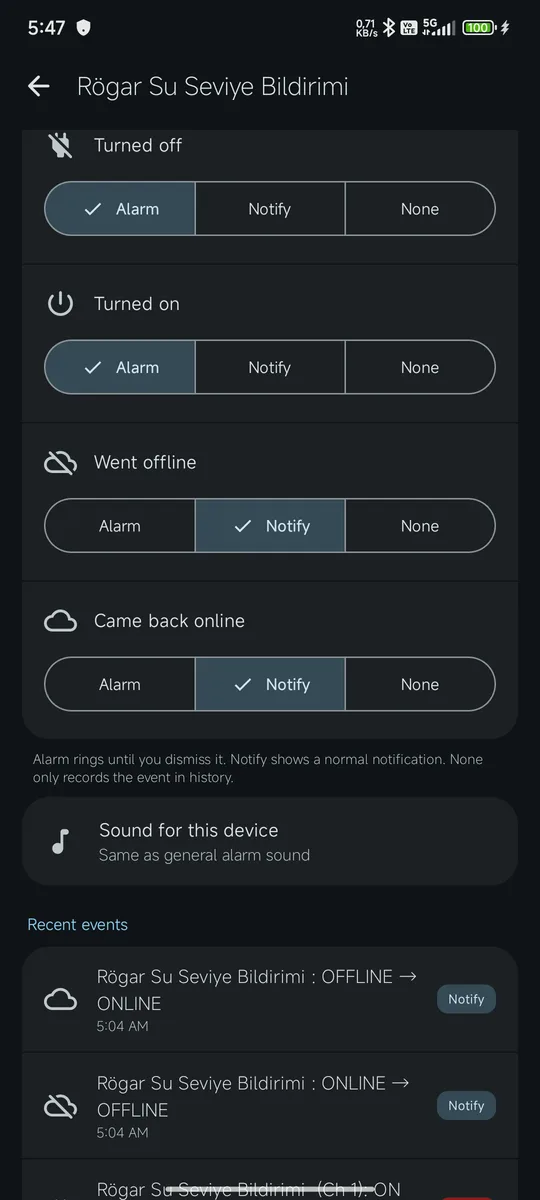
Off, on, offline, back online: alarm, notification or nothing. Ignore brief drop-outs, set quiet hours.
Sensors
Temperature, humidity, door, motion, water leak and battery. Threshold alerts and up to 400 days of sensor history.
Automations with conditions
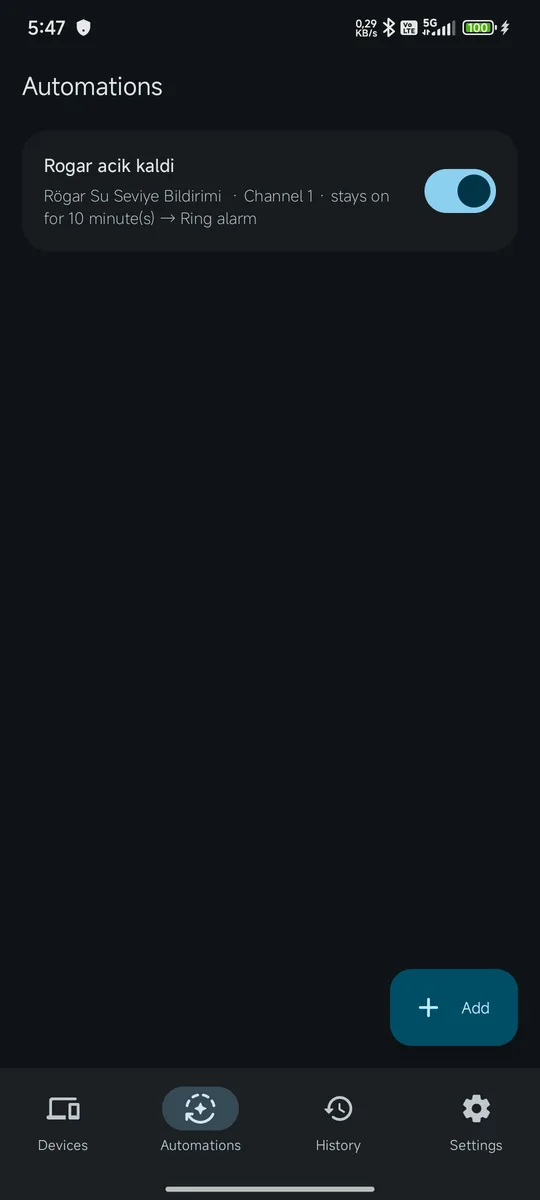
“At sunset, if the living room is below 20 °C and it's cold outside, turn the heater on.” Any number of conditions, and/or.
Power and energy
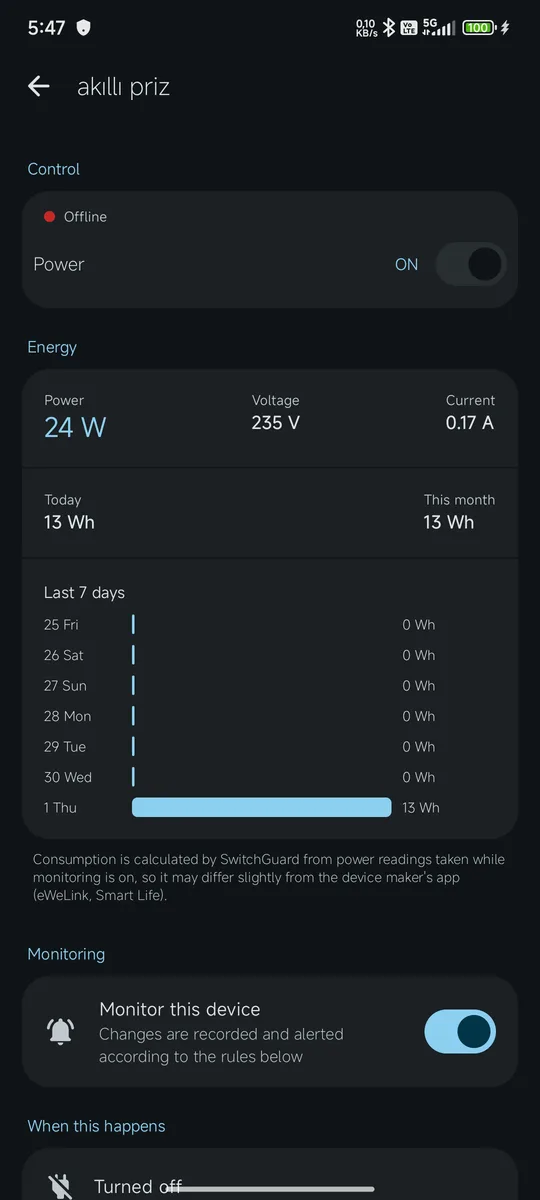
Watts, voltage and kWh on metering devices. Alarm when a channel that should be running loses power.
Tell someone else
If an alarm isn't dismissed in time, a Telegram message or a phone call goes to the people you choose.
Chat and voice commands
“Turn the garden light on”, “How warm is the living room?”, “What's on?” Type or speak, hear the answer.
Zones
Lights on as you get home, everything off when you leave. Your location stays on the phone.
Help from AI
Ready prompts for ChatGPT, Gemini or Claude: find a setting, get a rule set up, write chat commands.
A wall tablet or an old phone on the shelf becomes a control panel
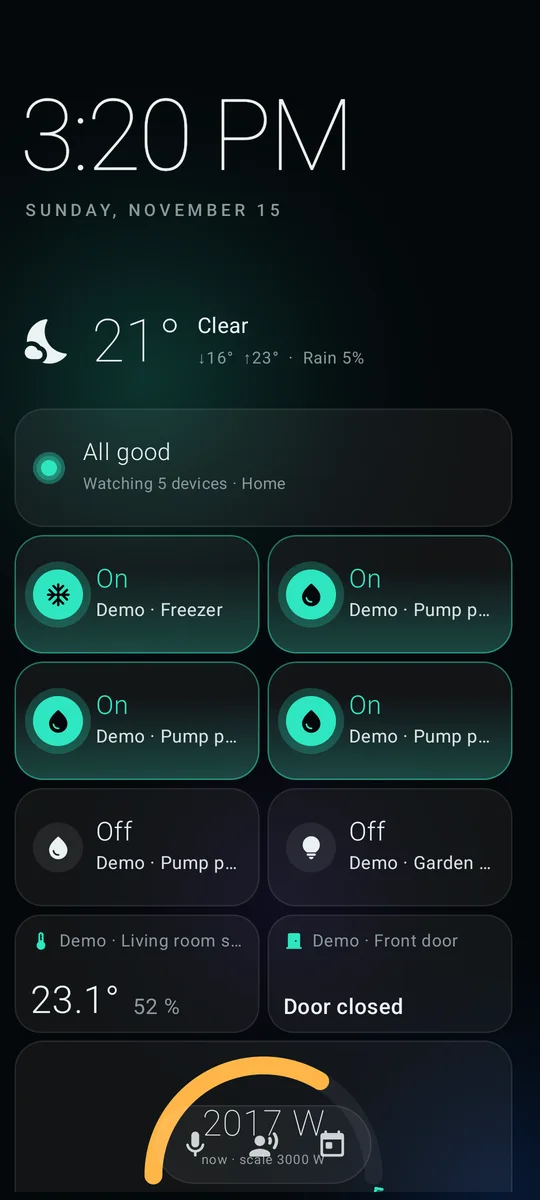
The standby screen shows the clock, weather, live power, sensors, rules and recent activity at a glance. Press and hold a widget to move it, drag its corner to resize.
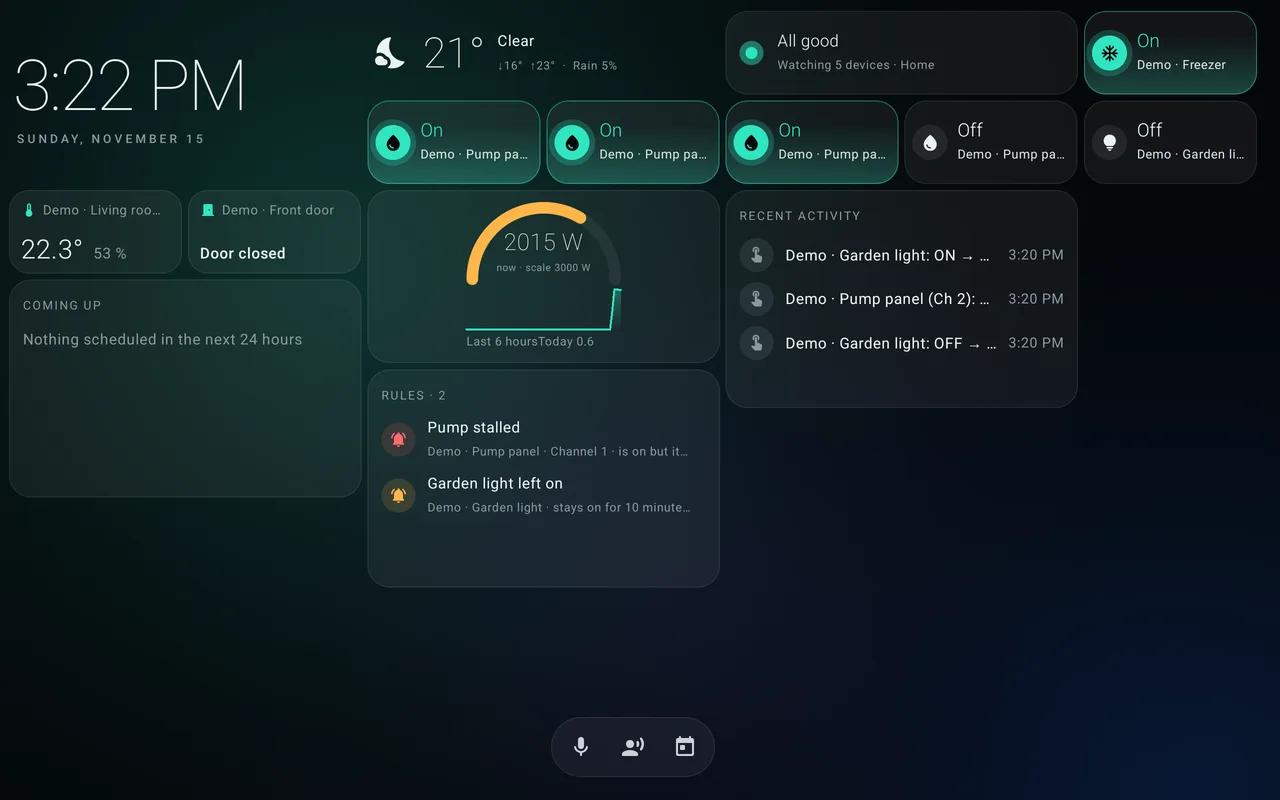
- Status glow: teal all good, amber attention, red alarm
- Every device is a widget: tap to switch it
- Sensor cards: red when a door is open or water leaks
- Screen saver: starts by itself while charging
Phone, tablet, TV and PC
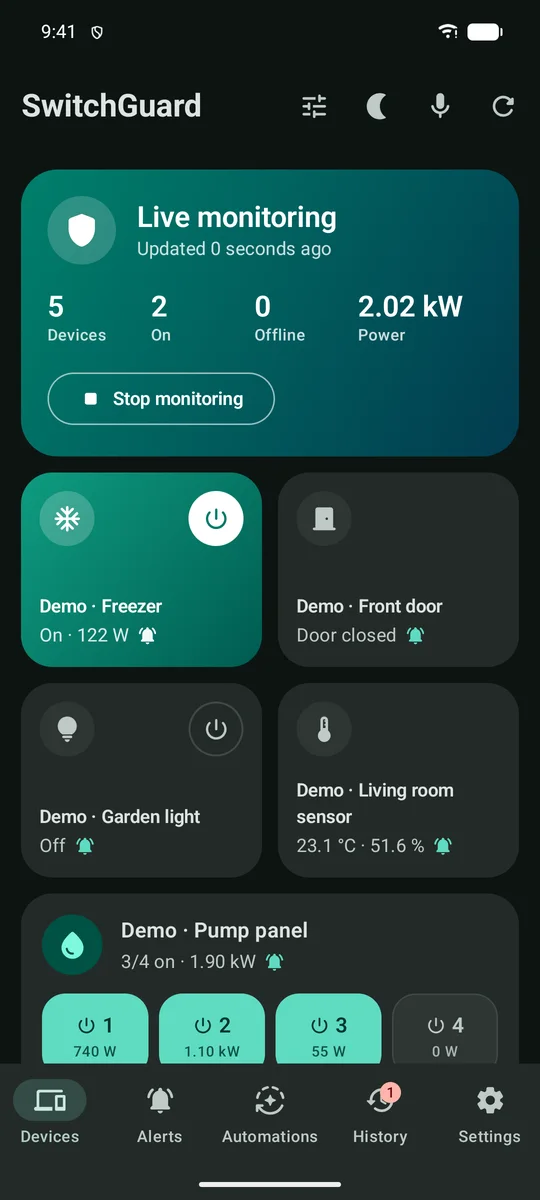
One app, with a layout made for each device.
Phone
Always with you; full-screen alarm on the lock screen.
Tablet
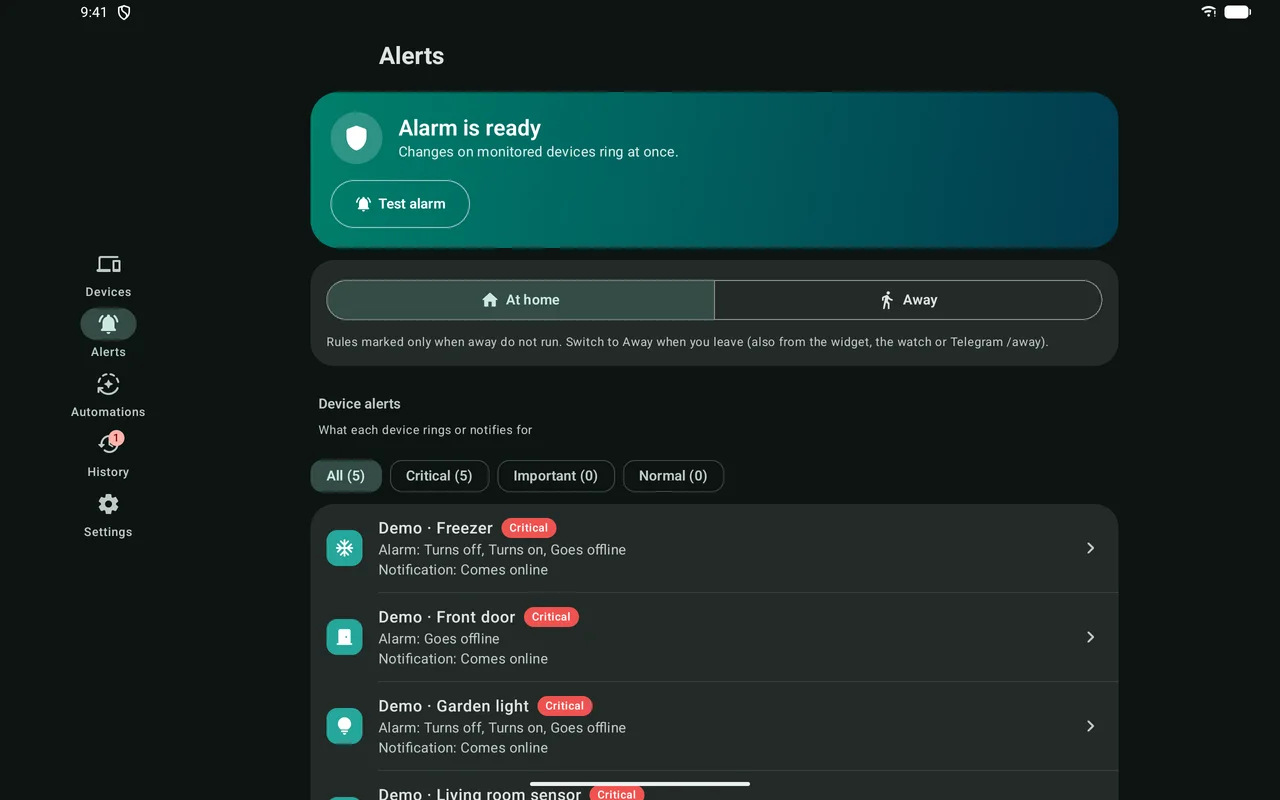
Side rail and wide grid; perfect as a wall panel.
Android TV
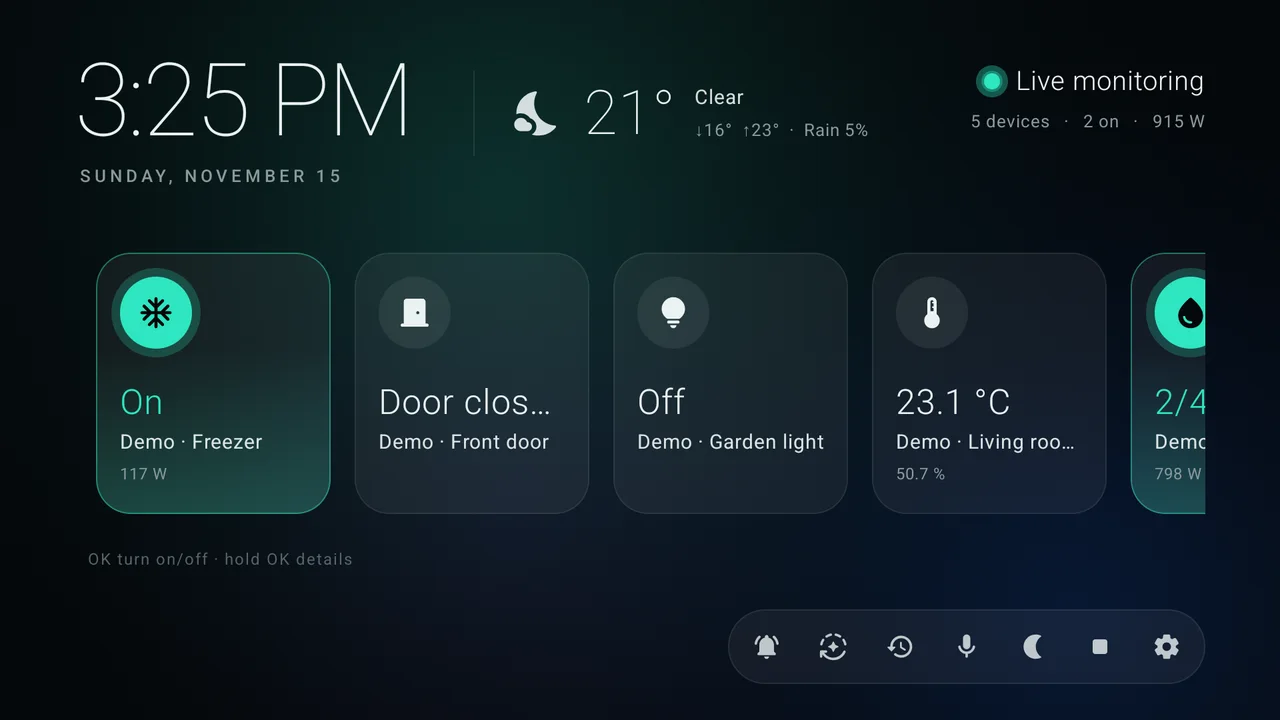
A dashboard you can read from the sofa, switch with the remote. Works as a screen saver too.
Windows
Monitoring, voice commands, notifications and the standby screen on the desktop.
Android TV: on the biggest screen in the house
Big clock and weather, live status, device cards you browse with the remote. OK asks first, so a double press never switches the freezer off.
Tablet
Side rail and a wide grid; alerts, rules and history on one screen. Perfect as a wall panel.
Inside the app
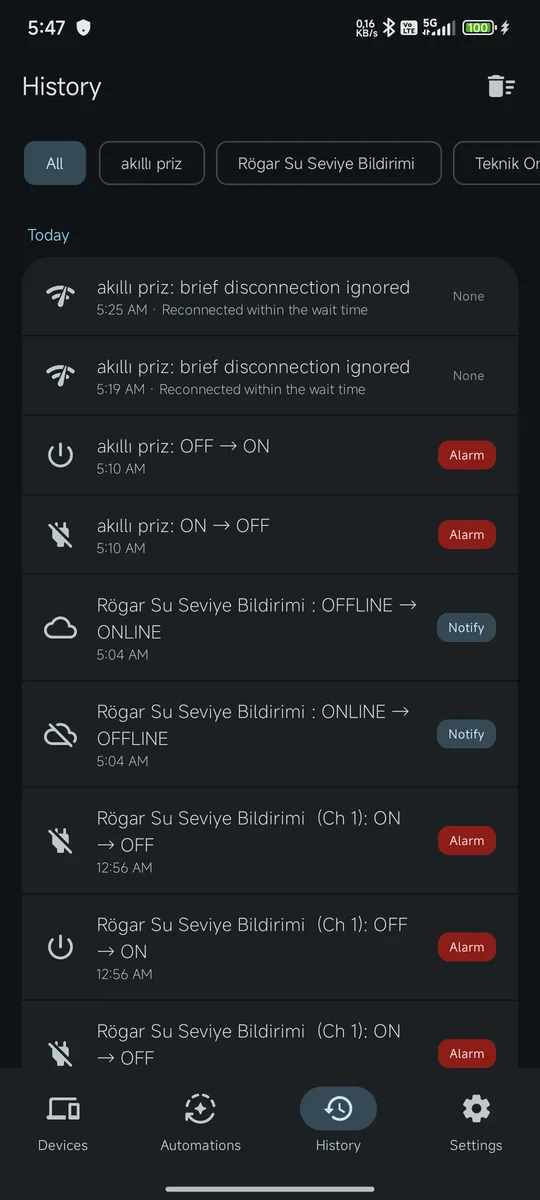
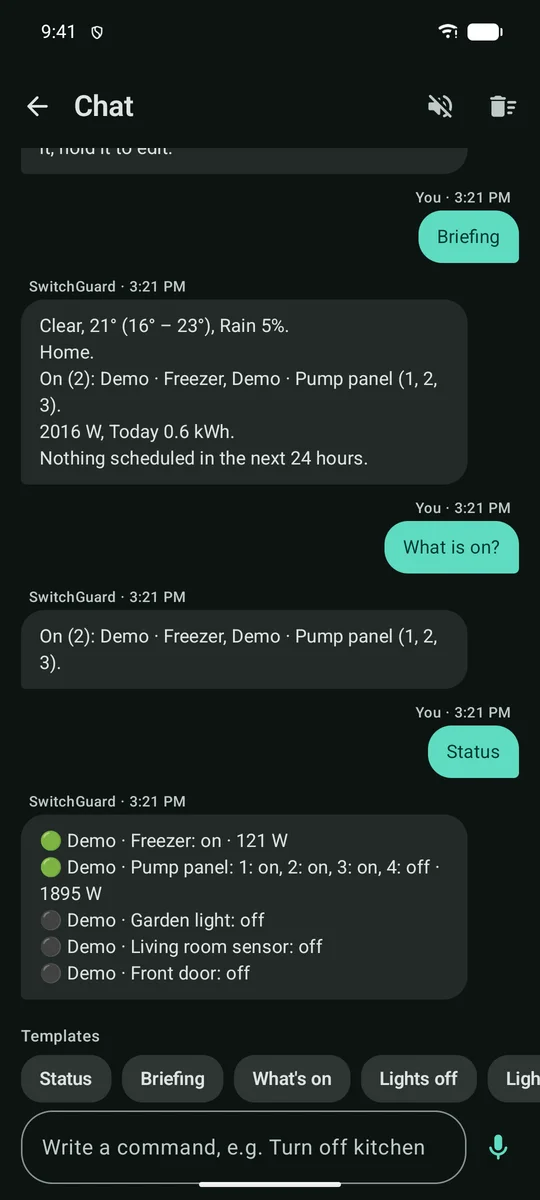
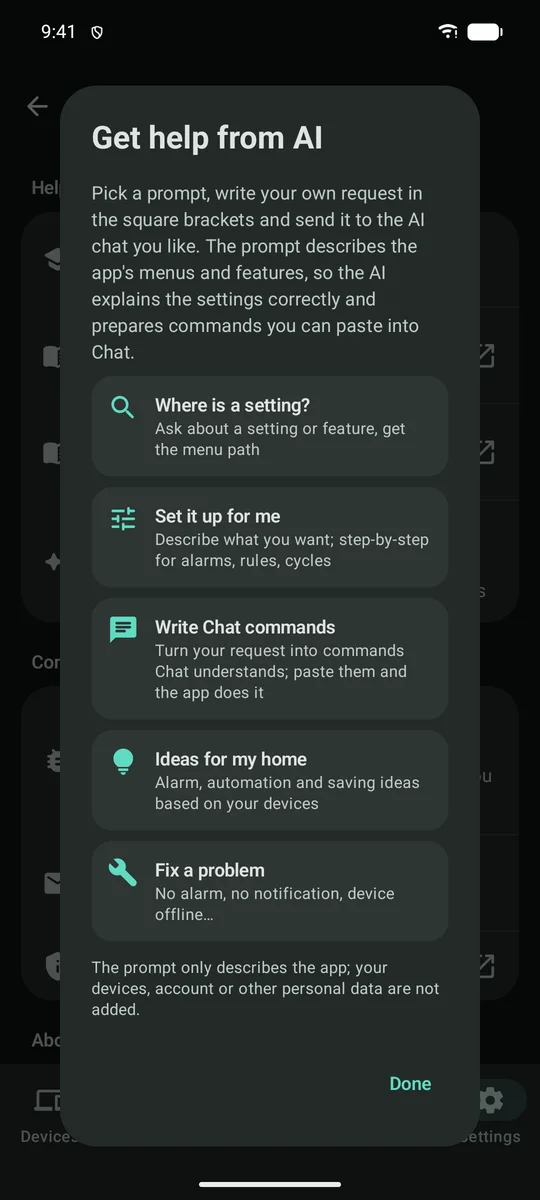
Your data stays with you
SwitchGuard has no server of its own. The app talks only to your own eWeLink and Tuya accounts; nothing comes to us.
- No ads
- No analytics or tracking
- No account of ours
- Your password never enters the app
- Source available (GitHub)
Get started in three steps
Install the app
From Google Play or as an APK from GitHub. Try the built-in demo first, no account needed.
Connect your account
A free developer App ID for eWeLink, a free Cloud project for Tuya. The in-app guide walks you through it.
Pick your rules
Choose what rings for which device and start monitoring.
Videos and guides
Frequently asked questions
Is it paid?
No. All devices and all features are free; no ads and no in-app purchases.
Which devices work?
SONOFF and compatible devices you use in the eWeLink app (plugs, relays, SPM-4Relay, DUALR3, TH/THR temperature, SNZB sensors, DW2 door) and devices in Smart Life / Tuya Smart.
Why do I need a developer App ID?
It is the only way eWeLink lets third-party apps connect to your account. It is free and takes a few minutes; the guide and video show every step.
Does it ring in silent mode?
Yes. The alarm plays on the system alarm channel and keeps ringing until you dismiss it. It opens full screen on the lock screen.
The alarm doesn't come. What should I check?
Open Settings → Permissions and allow notifications, unrestricted battery, full-screen alarms and (on Xiaomi) lock-screen and background start. Settings → Alarm has a test alarm.
Can I use it on several devices?
Yes. eWeLink allows one session per account, so each device uses its own eWeLink account; just share your devices to it from the eWeLink app. Tuya keys and rules can be sent to the other device over home Wi-Fi.
Is the Google Play version different from the GitHub APK?
It is the same app. New versions reach GitHub first; the Play version can lag a little behind because of store review.
Is there an iPhone version?
No. SwitchGuard is made for Android (phone, tablet, TV) and Windows.
Are you affiliated with eWeLink or Tuya?
No. SwitchGuard is an independent app, not affiliated with eWeLink, CoolKit, ITEAD or Tuya.
Set it up in minutes, sleep with peace of mind.
Free. No account needed; try the demo first.